 By
The best free games that need no download are HTML5 browser games. They open in a normal browser tab, so there is nothing to install and no account to create. The seven picks below cover five genres: puzzle, card and board, racing, arcade and casual. Each one runs on Gameziko for free.
What does "no download" mean?
A browser game is a web page. When you press Play now, your browser loads the game's files the same way it loads any page, and the game runs inside the tab. Nothing is saved to your apps or programs folder, and closing the tab ends the game.
That is why these games are built with HTML5, the same web technology behind most websites. Our guide to what HTML5 games are explains how they work and how they save progress. If you are not sure whether a browser game or an app suits you better, see browser games vs app games.
The games are free because they are paid for by ads from the game networks, and some games show a short ad before they start.
Quick comparison
| Game | Genre | Controls listed | Phone play |
|---|---|---|---|
| Goods Master | Sorting puzzle | Tap or click | Yes, touch is listed |
| Spider Solitaire 2 Suits | Card game | Mouse or touch, drag and drop | Yes, touch is listed |
| Master Chess | Board game | Mouse | Not listed |
| Blacktop Police Chase | 3D driving | Arrow keys or WASD, on-screen touch | Yes, touch is listed |
| Going Up Rooftop | 3D parkour | WASD or arrows, Space, mouse | Touch devices are mentioned |
| Perfect Landing, Plane Pilot | Casual flying | Swipe or drag | Yes, touch is listed |
| Fish Eat Fish | Arcade, up to 3 players | Arrows, WASD, mouse or touch | Yes, touch is listed |
1. Goods Master: best puzzle game for short breaks
Goods Master is a sorting puzzle set in a messy store. Jars, bottles and boxes sit on the wrong shelves, and you move them until every shelf holds one matching set. A full shelf clears away and makes room for more. Each level gives you a limited number of moves, so planning matters. Its description lists more than 20 hand-crafted levels and boosters that shuffle, transform or merge items. You tap or click a good, then tap the shelf slot where it should go. That makes it easy on a phone. More picks like it are in our list of free puzzle games.
2. Spider Solitaire 2 Suits: best card game
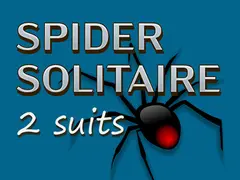
Spider Solitaire 2 Suits is the classic patience game with two suits. The goal is to build eight runs of the same suit, from King down to Ace. A finished run leaves the table, and you can fill an empty column with any card or run. You drag and drop cards with the mouse or a finger, and a hint button helps when you are stuck. The two-suit version sits between the easy one-suit game and the hard four-suit game. Our guide to solitaire types explains the differences.
3. Master Chess: best board game
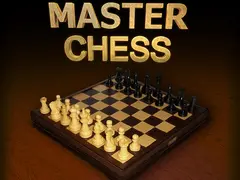
Master Chess is a clean version of classic chess. Its description lists two modes: play the computer at three difficulty levels, or play a friend on the same device. Its instructions list the mouse as the control, so it works best on a computer. If you are new to the game, read how to play chess first, then start at the lowest level. More games like it are in the card and board games category.
4. Blacktop Police Chase: best racing game
Blacktop Police Chase makes you the getaway driver in a large low-poly 3D city. You pick up a bank robber, lose the police and get back to the hideout before your car falls apart. Its description says the police chase grows through six levels, and coins unlock 12 cars and 12 paint colors. On a computer you drive with the arrow keys or WASD, brake with Space, look back with B and reset with Right Shift. Its instructions say phones get on-screen touch controls. See more in our free racing games list.
5. Going Up Rooftop: best arcade game
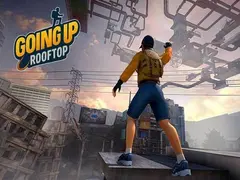
Going Up Rooftop is a 3D parkour game on city rooftops. You climb walls, jump between ledges, slide and ride ziplines, always heading higher. Its description lists three modes: Story, Parkour and Climb and Jump. Watch your stamina, reach the checkpoints and collect coins for new outfits. The weather also changes as you climb. On a computer you move with WASD or the arrow keys, jump with Space, sprint with Shift and crouch with Ctrl. Its instructions also include a part for touch devices. More games are in the arcade category.
6. Perfect Landing, Plane Pilot: best casual game
Perfect Landing, Plane Pilot is a 3D flying game. You fly over islands, steer around wind turbines, collect coins and line up for a smooth landing. Each flight is a run for distance. The coins buy upgrades and faster planes. The controls are as simple as it gets: swipe on a touch screen or drag with the mouse to steer left and right. Its description says the early flights are short and forgiving, which suits new players.
7. Fish Eat Fish: best for playing with others
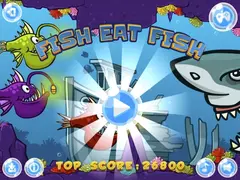
Fish Eat Fish is a small arcade game where you play a piranha. Eat fish smaller than you to grow, and stay away from bigger ones. Its description says it is made for up to three players on one device. Player one uses the arrow keys, player two uses WASD and player three uses the mouse. Its instructions say touch control works on mobile devices too.
How do you start a game in one click?
- Open the game's page on Gameziko.
- Press Play now. The game loads in the same tab.
- Wait a few seconds. Larger 3D games take longer, and some show an ad first.
- Use full screen on a computer so the keyboard always reaches the game.
If a game stays black, our guide to fixing a black game screen walks through the usual causes. You can browse every game on the all games page.
Frequently asked questions
Are browser games really free?
Yes. The games on Gameziko are free to play, with no download and no account. They are paid for by ads from the game networks that supply them. Some games show a short ad before they start or between levels, and a few let you watch an ad to unlock an extra, such as a car in Blacktop Police Chase.
Can I play browser games on my phone?
Yes, if the game supports touch. On this list, Goods Master, Spider Solitaire 2 Suits, Blacktop Police Chase, Perfect Landing and Fish Eat Fish list touch controls in their instructions. Master Chess lists only the mouse, so a computer is the safer choice for it. Turning your phone sideways helps with landscape games.
Do browser games save my progress?
Many do, but the save usually lives in your browser's storage on that device. If you clear your browsing data, use a private window or switch to another device, the progress may not follow you. Each game handles saving in its own way, so check inside the game if progress matters to you.
Is it safe to play games without downloading them?
Playing in a browser is usually safer than installing unknown programs, because nothing is added to your computer. Stick to well-known sites, never install a "player" or extension that a game page asks for, and keep your browser up to date. If a child is playing, our safety guide for parents covers ads and chat.