 By
By 
Browser games run inside a web browser such as Chrome or Safari, so you can play them instantly without installing anything. App games are downloaded from an app store and installed on your device. Browser games win on convenience, storage and privacy; app games usually win on performance, offline play and saved progress across devices.
Side-by-side comparison
| Browser games | App games | |
|---|---|---|
| Install | None; open a page and play | Download from an app store |
| Storage used | Very little; cached files can be cleared anytime | Often hundreds of megabytes or more |
| Starts playing in | Seconds | After the download finishes |
| Updates | Automatic, every time the page loads | Through the app store |
| Device permissions | Rarely asks; the browser blocks most access by default | May ask for notifications, storage, contacts or location |
| Works offline | Usually not | Often yes |
| Performance | Good for 2D and light 3D games | Better for large 3D games |
| Saved progress | Kept in the browser on that device | Often synced to an account |
| Cost | Usually free with ads | Free with ads or in-app purchases, or paid |
When browser games are the better choice
- Your phone or laptop is low on storage.
- You want to try something quickly, for a five-minute break.
- You are on a shared or school computer where you can't install software. (Follow your school's rules about games.)
- You care about privacy. A browser game can't read your contacts, and it can't open your files unless you pick one yourself. A site also has to ask your permission before it can use your camera, microphone or location.
- You switch between devices and want the same games on a laptop, a Chromebook and a phone.
When an app is the better choice
- You play large 3D games that need the full power of your device.
- You often play without internet, for example on a plane.
- You want progress synced to an account across devices.
Try a few
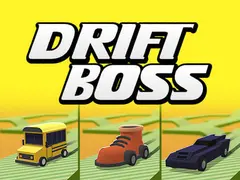
Quick browser games that show what the format does well: Drift Boss (one button, seconds per round), Master Chess, Goods Master (a relaxing sorting puzzle) and Tic Tac Toe.
For a closer look at how browser games are built, read What Are HTML5 Games?.
Frequently asked questions
Are browser games safe?
A browser game runs inside the browser's security sandbox, which stops it from installing anything or reading your files. The main thing to watch is ads, which can link to other websites. Never download a file that a game page asks you to install.
Why does a browser game forget my progress?
Browser games save progress in the browser's storage on that device. Clearing your browsing data, using private browsing mode or opening the game on another device or browser starts it fresh.
Do browser games use a lot of data?
A typical 2D browser game downloads a few megabytes when it first loads. 3D games can be larger. After loading, most games use very little data unless they are online multiplayer games.
Can you play browser games offline?
Usually not. Browser games load their files from the web when you open the page, so most need an internet connection to start. App games installed from an app store are the better choice when you expect to play without internet, for example on a plane.
Do browser games work on phones and tablets?
Yes. Many browser games run in a phone or tablet browser such as Chrome or Safari, with no app to install. Games built around taps or a single button, like Drift Boss, suit a touch screen best, while 3D games designed for keyboard controls are easier on a computer.