 By
By 
HTML5 games are games built with the web's own technologies, so they run inside a browser such as Chrome, Safari, Firefox or Edge. The browser downloads the game's code, images and sounds when you open the page, then runs them without a plug-in or an install. Nearly every free browser game made since Flash was retired is an HTML5 game.
What does "HTML5" mean?
HTML is the language every web page is written in. HTML5 was the major update that added features games need, such as a drawing surface, built-in audio and storage on your device. HTML is now a "living standard" with no version number, but "HTML5 game" stuck as the name for any game built on open web standards.
The technologies inside an HTML5 game
| Technology | What it does in a game |
|---|---|
HTML <canvas> |
A drawing surface where the game paints every frame |
| JavaScript | The game's logic: controls, rules, scoring and timing |
| WebGL | Uses your graphics card to draw 3D and fast 2D graphics |
| WebAssembly | Runs code written in languages such as C++, C# or Rust at close to native speed |
| Web Audio | Plays and mixes sound effects and music |
| Local storage and IndexedDB | Keep saves and settings on your device |
The Canvas API lets JavaScript draw on a <canvas> element, and most 2D browser games draw this way. 3D games use WebGL, which also draws on a canvas but hands the heavy work to your graphics card. That is why turning off hardware acceleration can leave a 3D game black while 2D games still work, as the black screen guide explains.
WebAssembly runs code compiled from other programming languages next to JavaScript. Game engines such as Unity and Godot use it to export games for the web. Web Audio handles sound, and because browsers usually keep a page silent until you interact with it, many games ask for one tap before the music starts.
Why HTML5 games need no download
The browser fetches the game's files like any other web page and keeps them in its cache instead of installing a program. The game runs inside the browser's security sandbox, away from your files, and stops when you close the tab.
Gameziko has about 56,000 free HTML5 games from GameDistribution, GamePix and GameMonetize, in 19 categories. A game loads only after you press Play now. Small games start in seconds, while larger 3D games and games that show an ad first can take up to 20 seconds.
How HTML5 games differ from Flash games
Before HTML5, most browser games were Flash games. They ran in Adobe Flash Player, a plug-in you had to install and keep updated, and it never ran in the browser on iPhone or iPad.
As browsers added canvas, WebGL and WebAssembly, the plug-in became unnecessary. In 2017 Adobe announced that it would support Flash Player through 2020 and then stop updating and distributing it, naming HTML5, WebGL and WebAssembly as the open standards that could replace it. Support ended on 31 December 2020, and since 12 January 2021 up-to-date copies of Flash Player refuse to play Flash content.
| Flash games | HTML5 games | |
|---|---|---|
| Runs in | A separate plug-in, Flash Player | The browser itself |
| Code | ActionScript | JavaScript and WebAssembly |
| Phones and tablets | Never on iPhone or iPad | Most phones, tablets and computers |
| Status | Unsupported since the end of 2020 | Current web standards |
How HTML5 games save progress
Most HTML5 games save to local storage, a small storage area the browser keeps for each website. It has no expiry date, so a save survives closing the tab or restarting your computer. Larger games often use IndexedDB, a bigger browser database.
That storage belongs to one browser on one device. You start from scratch when:
- You clear your cookies and site data.
- You play in a private or incognito window, whose storage is deleted when it closes.
- You open the game in another browser or on another device.
- Your browser blocks third-party site data. Games on Gameziko load from their distribution network, so some browsers treat their saves as third-party data.
Gameziko's favorites list works the same way: it is saved in your browser, with no account.
Limits compared with installed games
- Performance. The browser sits between the game and your hardware, so the most demanding 3D games are still made as installed games.
- Memory. Browsers limit how much memory a tab can use, especially on phones. A big game can crash on an older device.
- Size. Browser games are kept small to load quickly, which usually means simpler graphics.
- Internet. Most browser games need a connection to start.
- Background tabs. Browsers slow down or pause hidden tabs, so a game may freeze when you switch away.
For a side-by-side comparison, read browser games vs app games.
HTML5 games to try
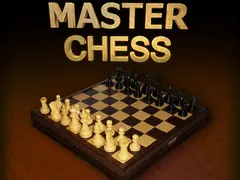
- Master Chess: classic chess listed as an HTML5 board game, played against the computer or a friend on the same device.
- Perfect Landing, Plane Pilot: a 3D flying game where you steer between wind turbines, collect coins and line up a smooth landing.
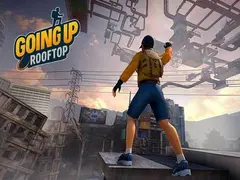
- Going Up Rooftop: a 3D parkour game about climbing city rooftops, with three modes.
- Blacktop Police Chase: a low-poly 3D getaway driving game in an open city, with 12 cars to unlock.
Frequently asked questions
Are HTML5 games safe to play?
HTML5 games run inside the browser's security sandbox, which stops them from installing software or reading your files. The main risk comes from ads, which can link to other websites. Play on a site you trust, and never download a file that a game page asks you to install.
Do HTML5 games work on phones and tablets?
Yes. HTML5 games run in mobile browsers such as Chrome and Safari, with no app to install. Games built around taps, swipes or one button suit a touch screen best. Large 3D games designed for keyboard and mouse are easier on a computer and may run slowly on older phones.
Can you still play old Flash games?
Flash Player itself no longer works, because Adobe ended support on 31 December 2020. Many popular Flash games were rebuilt as HTML5 games, and an open-source emulator called Ruffle can play many original Flash files in a modern browser. Games that were never converted are harder to find and usually need an emulator.
Why does an HTML5 game forget my progress?
HTML5 games usually save progress in the browser's local storage on one device. Clearing cookies and site data, playing in a private window, or switching to another browser or device starts the game fresh. Blocking third-party site data can also stop some games from saving, because they load from a separate game server.