 By
Duck Hunt itself is a Nintendo game, and Gameziko does not host it or any other Nintendo title. If what you want is the same simple loop of aiming at moving targets and taking the shot, free browser games can give you that feel. They run in Chrome on a Chromebook or any computer, with the mouse or trackpad standing in for the light gun.
What was Duck Hunt?
Duck Hunt is a light gun shooter that Nintendo released in 1984, first in Japan and later on the NES. According to its Wikipedia article, you aimed the NES Zapper at the screen to shoot ducks or clay pigeons, with three shots for each target. Game A sent out one duck at a time, Game B sent two, and Game C swapped the ducks for clay pigeons.
The same article notes that the game needs the Zapper and a CRT television. That is why the original is hard to play today: the light gun does not work with modern flat screens. This guide sticks to browser games you can open right now instead.
What to look for in a Duck Hunt-style game
The pieces that made Duck Hunt fun are easy to name:
- Moving targets that you have to track before you shoot.
- Limited shots, so every miss matters.
- Short rounds that you can replay straight away.
- A clear score that tells you how well you aimed.
None of the games below copy Duck Hunt. Each one keeps one or more of these parts, and the hunting games are the closest match.
Quick comparison
| Game | Closest Duck Hunt feature | Target type | Controls | Layout |
|---|---|---|---|---|
| Wild Hunting Clash | Hunting moving animals | Wild animals | Not listed | Landscape |
| Crazy Goat Hunter | First-person hunting | Goats | Not listed | Landscape |
| Gun Shooting Range | Limited bullets, many modes | Range targets | Not listed | Landscape |
| Archery King | Timing a single shot | Archery targets | Not listed | Landscape |
| Fish Shooting Fish Hunter | Aiming at moving targets | Fish | Not listed | Landscape |
| West Frontier Sharpshooter 3D | Sharpshooting | Outlaws | Not listed | Landscape |
| Mr Bullet | One careful shot | Enemies | Mouse | Portrait |
1. Wild Hunting Clash: best for the hunting theme
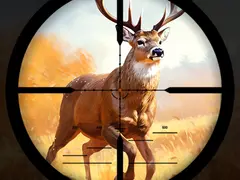
Wild Hunting Clash is the closest in spirit. Its description says animal behavior tests your marksmanship as you hunt across wild landscapes, unlock new regions with different animals and customize your gear. That mix of moving animals and aiming practice is what most people remember from Duck Hunt. Controls are not listed, and the game uses a landscape (wide) layout, so it suits a laptop or Chromebook screen better than a phone held upright.
2. Crazy Goat Hunter: best first-person hunt
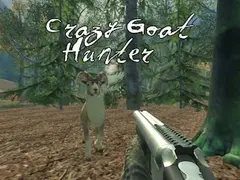
Crazy Goat Hunter is a first-person hunting game. Its description says you track elusive goats through a forest and need precision and timing to outsmart them, with a mission to complete. The first-person view puts you behind the sights in a way the flat Duck Hunt screen never did. Controls are not listed. Its landscape layout works best on a bigger screen.
3. Gun Shooting Range: best for limited shots
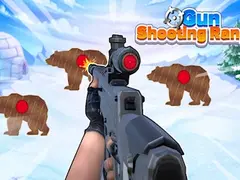
Gun Shooting Range is the pick if you liked the pressure of only having three shots. Its description says you move from novice to sniper across several gameplay modes, finish missions with as few bullets as you can and face changing targets. You also improve your gear along the way. Controls are not listed. The landscape layout fits a laptop or Chromebook well.
4. Archery King: best for calm, careful aiming
Archery King swaps the gun for a bow. Its description says precision, timing and focus matter, with wind that shifts between shots. You can play solo or challenge friends in duels, though whether friends play online or on the same device is not listed. This one is slower than Duck Hunt, which makes it a good fit when you want to aim rather than react. Controls are not listed.
5. Fish Shooting Fish Hunter: best relaxed shooting
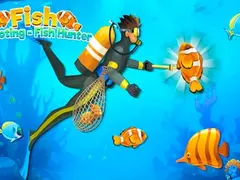
Fish Shooting Fish Hunter moves the targets underwater. Its description says you aim at and catch colorful sea life across different islands, upgrade your gear and go deeper as you progress. The description calls it relaxing as well as exciting, so it suits younger players or anyone who wants the aiming without the tension. Controls are not listed, and it uses a landscape layout.
6. West Frontier Sharpshooter 3D: best for a cowboy setting
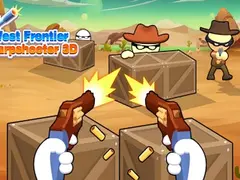
West Frontier Sharpshooter 3D puts you in the Wild West. Its description says you play a cowboy who takes on outlaws in standoffs and explores large areas while mastering your aim. It is a 3D game, so it asks more of the computer than the others here. Controls are not listed. On an older Chromebook, start with one of the 2D picks above.
7. Mr Bullet: best for one perfect shot
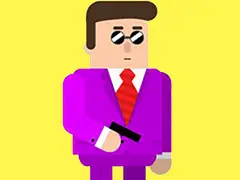
Mr Bullet is a puzzle shooter. Its description says you need precise aim to take down enemies and save hostages, and it asks whether you can do it in one shot. Its instructions say to use the mouse, which makes it a natural fit for a trackpad. Each level is a small aiming puzzle, much like lining up a shot on a duck before it flies away. It uses a portrait (tall) layout.
How to play these on a Chromebook
All of these are HTML5 games, so they open in Chrome on a Chromebook with nothing to install. A few simple steps help:
- Open the game page and wait for it to finish loading before you click.
- Use a mouse if you have one. Aiming with a trackpad works, but a mouse is steadier.
- Close other busy tabs if a 3D game feels slow.
If a game runs slowly, our guide to Chromebook browser games explains what runs well and why. For more aiming games, browse the shooting category, and if you enjoy first-person shooters, see our browser FPS games guide.
Frequently asked questions
Can I play the original Duck Hunt in a browser?
Not on Gameziko. Duck Hunt is a Nintendo game, and the site does not host it or any other Nintendo title. The original also needs the NES Zapper and an old CRT television to work. The games in this guide are separate browser games that share its point-and-shoot idea.
Which game here feels most like Duck Hunt?
Wild Hunting Clash is the closest match. Its description says you hunt animals whose behavior tests your aim, which echoes tracking a duck across the screen. Gun Shooting Range comes second if you miss the pressure of limited shots, since its description says you finish missions using as few bullets as possible.
Do these games work on a school Chromebook?
They are browser games, so they need nothing installed and run in Chrome. Whether a school Chromebook can open a game site depends on the school's own settings. If a site is blocked there, respect that rule and play at home instead.
Are these games free?
Yes. Every game on Gameziko is free to play in the browser with no account. The site is supported by ads, so you may see an ad before or between rounds.