 By
If you miss the fast, simple shooters of the 1990s, short browser FPS games are the closest free option that needs no install. They keep the quick rounds and arena maps, though they are lighter than the classics. The five first-person shooters below run on Gameziko, with details taken from each game's own description.
What made old-school shooters feel different?
A first-person shooter shows the action through the eyes of your character, with weapon combat at the center. The genre's early hits set the template many fans still look for. Doom, released by id Software in 1993 for MS-DOS, had players fight through levels to find each exit or beat a final boss.
When people ask for "old-school" shooters, they usually mean a few things. Levels are short and direct. You start shooting within seconds. There is little story and few menus between you and the action.
Browser shooters often share that shape for a practical reason. They have to load fast and run on ordinary laptops, so rounds are short and the rules are simple. They are not remakes of the classics, and none of the games below copy a classic's levels or story. Doom and its successors are played through their own official releases, not on Gameziko.
Why does the mouse cursor disappear in a browser FPS?
Most 3D shooters in a browser use a web feature called pointer lock. According to MDN's Pointer Lock API page, it locks mouse events to one element and removes the cursor from view, which is ideal for first-person 3D games. That is how you can turn your view by moving the mouse without the pointer hitting the edge of the screen.
So a hidden cursor after you click into the game is normal. Each game decides how you leave that mode, so check its start screen or pause menu if you need your cursor back.
Quick comparison
| Game | Style | View | Screen shape | Controls listed? |
|---|---|---|---|---|
| Special Strike | Arena combat | First-person | Landscape | Not listed |
| Block Team Deathmatch | 4v4 team battles, solo and sniper modes | First-person | Landscape | Not listed |
| Sniper King 2D The Dark City | Sniping missions | First-person | Landscape | Not listed |
| Merge Gun FPS Shooting Zombie | Waves plus weapon merging | First-person | Landscape | Not listed |
| Funny Shooter 2 | Cartoon battles with upgrades | Not stated | Landscape | Not listed |
None of these games list their controls or phone support in the catalog. First-person shooters are built around aiming, so a laptop or desktop with a mouse is the safer choice.
1. Special Strike: best for nonstop arena action
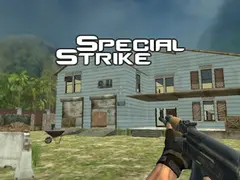
Special Strike is the closest match on this list to the run-and-gun style of older shooters. Its description calls it a relentless first-person shooter where you move across changing battlefields, try to outscore your opponents and keep moving to stay alive.
That focus on constant motion is the main thing old-school fans tend to ask for. The description does not say whether opponents are other players or computer-controlled, so treat it as a quick solo session unless the game shows otherwise. Controls are not listed. It plays in landscape and suits a mouse.
2. Block Team Deathmatch: best for team matches
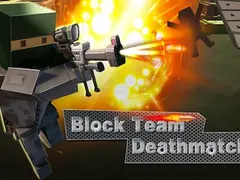
Block Team Deathmatch is set in a blocky, pixel-style arena. Its description lists 4v4 team battles along with solo and sniper challenges, plus new weapons you unlock as you climb the ranks.
The chunky pixel look is a fair nod to older graphics, even though the game itself is modern. The description does not say whether teammates and rivals are real players online, so don't count on playing against friends. Controls are not listed, and it plays in landscape.
3. Sniper King 2D The Dark City: best for slow, careful shots
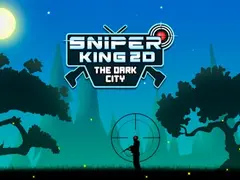
Sniper King 2D The Dark City trades speed for patience. Its description describes sniping missions seen from a first-person view, where you scan, aim and take each shot while conserving ammo.
This one suits players who liked the quieter, precise moments in older shooters more than the chaos. Because every shot counts, it also works in short sessions where you want to finish a single mission. Controls are not listed. It plays in landscape.
4. Merge Gun FPS Shooting Zombie: best for upgrade fans
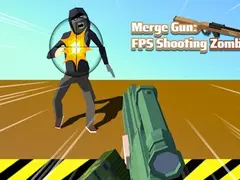
Merge Gun FPS Shooting Zombie mixes a first-person shooter with a merge mechanic. Its description says you combine identical firearms to build stronger weapons and use explosive elements to handle waves of undead and crows.
Wave-based survival will feel familiar to anyone who played arcade-style shooters, while the merging adds a light layer of planning between fights. Controls are not listed, and it plays in landscape.
5. Funny Shooter 2: best for a lighter tone
Funny Shooter 2 leans into silliness. Its description promises zany battles against quirky enemies, a whimsical world and plenty of weapon upgrades and customization.
The catalog data doesn't say which camera view it uses, so pick it for the cartoon humor rather than for a strict first-person feel. It is a good choice if you want shooting action that doesn't take itself seriously. Controls are not listed. It plays in landscape.
How to pick one in under a minute
- Want fast movement and constant fights? Start with Special Strike.
- Prefer team modes and a pixel look? Try Block Team Deathmatch.
- Like patient aiming more than reflexes? Open Sniper King 2D The Dark City.
- Enjoy upgrading between rounds? Go with Merge Gun FPS Shooting Zombie.
- Want something goofy? Play Funny Shooter 2.
For more choices, browse the shooting games category or the full action category. If you'd rather play with someone at the same desk, see our list of two-player games on one keyboard.
Frequently asked questions
Can I play Doom in a browser on Gameziko?
No. Gameziko does not host Doom or other licensed classics. Doom is an id Software game, and it is played through its own official releases. The shooters on this page are separate free HTML5 games that share some of the same fast, arena-style feel, without copying any classic's levels or story.
Are these browser FPS games online multiplayer?
Not as far as their descriptions say. Block Team Deathmatch lists 4v4 team battles, but its description does not mention real players or online matchmaking. The safest assumption is that you play against computer opponents. For games that do describe real online players, see our guide to browser multiplayer games.
Do browser shooters work on a phone?
None of the five games list touch controls in the catalog, and all of them play in landscape. First-person aiming is much easier with a mouse, so a laptop or desktop is the better pick. If a game does load on your phone, turn it sideways and check whether on-screen buttons appear.
Why can't I see my mouse pointer while playing?
Most 3D browser shooters use pointer lock, which hides the cursor and keeps mouse movement inside the game so you can turn freely. That is expected behavior. Use the game's pause menu or start screen to get your cursor back, since each game handles leaving that mode in its own way.