 By
Several free browser racing games let you start with a basic car, earn money or coins from races and spend it on upgrades or new vehicles. The seven picks below all mention buying, upgrading or unlocking vehicles in their own descriptions, and none of them needs a download.
What "start small and work your way up" means in a browser game
Big console and PC racers built this idea into full career modes. Wikipedia's article on racing video games credits Gran Turismo (1997) with an open-ended career mode where players earned licenses and chose their own path, along with detailed tuning options.
Free browser racers use a lighter version of the same loop:
- Race on a track, in a free-drive area or against the clock.
- Earn money, coins or rewards based on how you did.
- Spend them on a better vehicle or on upgrades for the one you have.
- Unlock harder tracks or modes with your stronger car.
The 3D games below come closer to a real garage. The smaller games keep the loop short, so a few runs show progress.
Quick comparison
| Game | Style | Progression the description lists | Controls listed |
|---|---|---|---|
| Cyber Cars Punk Racing | 3D futuristic racer | Career mode, money from races, buy and develop cars | Keyboard |
| Real Cars in City | 3D city driving | Buy and develop cars, 36 racetracks | Keyboard |
| Mad Cars Racing and Crash | 3D cars, trucks and more | Buy and upgrade 35 vehicles | Keyboard |
| Drag Racing City | Drag racing | Customize and upgrade your car | Not listed |
| Twisty Roads | Curvy track racer | Collect coins, upgrade your ride | Not listed |
| Biker Street | Motorcycle test rides | Collect coins, upgrade your bike | Not listed |
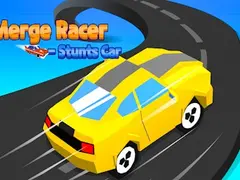
| Merge Racer Stunts Car | Merge and stunt racer | Merge cars, earn rewards, upgrade | Not listed |
All seven play in a wide (landscape) screen. None of them lists touch controls, so a computer with a keyboard is the safer choice. On a phone, turn it sideways and expect that some games may not respond well to touch.
1. Cyber Cars Punk Racing: best full career mode
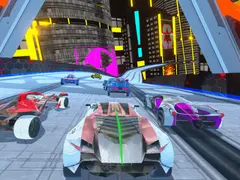
Cyber Cars Punk Racing comes closest to the "start with a basic car" idea. Its description lists 16 supercars, 60 racetracks, a vehicle purchase and development system, and a career mode split into Race, Against Time, Stunt, CheckPoint and Fly Parkour areas.
In Race mode you face seven AI drivers, and a top-3 finish moves you to the next track. You earn money from your finishing time, and drift and flight points add more. The listed controls are the arrow keys or WASD to drive, N for nitro and C to change the camera. There is also a two-player mode on one keyboard.
2. Real Cars in City: best for city driving between races
Real Cars in City is a 3D driving game with 20 sports cars and 36 racetracks, according to its description. It also has a vehicle purchase and development system, so the cars you drive change as you progress.
Outside the races there is a free ride area, a police chase area and a crash derby area. You can race against AI or just drive. Controls are the arrow keys or WASD, Shift for nitro and C for the camera view.
3. Mad Cars Racing and Crash: best vehicle variety
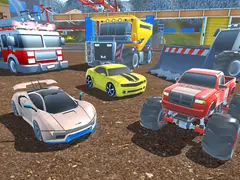
Mad Cars Racing and Crash lists 35 vehicles and 60 racetracks, and its description says you can buy and upgrade them. The garage goes beyond race cars: it names an armored car, a truck, a fire truck, a monster truck and a working machine.
There is a free drive area, a battlefield area and a two-player mode. Player 1 drives with the arrow keys or WASD and uses Right Shift for nitro. Player 2 uses WASD with Left Shift for nitro.
4. Drag Racing City: best for short, timed races
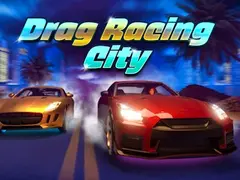
Drag Racing City is about a different skill. Its description says the key is timing your gear shifts to reach top speed and beat rivals, and that customizing and upgrading your car adds depth.
In real drag racing, two vehicles usually race from a standing start on a short, straight course, often a quarter mile. That makes this game a good fit if you want quick races where an upgrade shows up right away in your times. Controls are not listed on its page. You can find it in the sports category.
5. Twisty Roads: best quick upgrade loop
Twisty Roads is a racer built around sharp curves and hazards. The description says you gather coins on the track and use them to upgrade your ride, so every run feeds the next one.
It suits short sessions, since you can play a few runs, spend your coins and see whether the upgrade helps you get further. Controls and touch support are not listed, so try it on a computer first.
6. Biker Street: best for motorcycles
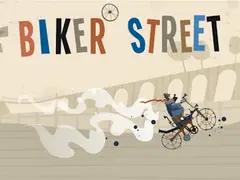
Biker Street swaps cars for an experimental motorcycle. According to its description, you ride through rugged courses, keep your balance, dodge obstacles and collect coins to improve the bike.
The tracks are described as random, which keeps the upgrade loop from feeling the same every time. If you want the "start with a basic vehicle" feeling on two wheels, this is the one to try. Controls are not listed on its page.
7. Merge Racer Stunts Car: best for a different kind of progression
Merge Racer Stunts Car mixes racing with a merge mechanic. Its description says you merge identical vehicles to build better supercars, earn rewards from stunts and invest those rewards in upgrades.
Progress comes from combining cars instead of buying them one at a time, which feels a bit like an idle game. Controls are not listed. For more ideas in this style, see the clicker category.
Tips for getting the most from an upgrade racer
- Replay early tracks. Cyber Cars Punk Racing pays money according to your finishing time, so practicing an easy track until your runs are clean is a steady way to save up.
- Use the free-drive areas. Real Cars in City and Mad Cars Racing and Crash both have one, which is a calm place to learn how a new car handles.
- Check whether progress saves. Many browser games keep data with the browser's localStorage, which belongs to one site in one browser, so clearing site data can reset it. Our guide on how browser game saves work explains more.
For more racing picks without the upgrade focus, see our list of the best free racing games or browse the full racing category. On a slower computer, our guide to racing games for Chromebooks and low-end PCs can help.
Frequently asked questions
Are there free browser racing games with a career mode?
Yes. Cyber Cars Punk Racing lists a career mode with Race, Against Time, Stunt, CheckPoint and Fly Parkour areas. You earn money from each race and spend it on cars. It plays in the browser for free on Gameziko, with ads, and needs no download or account.
Can I play these upgrade racing games on a phone?
Possibly, but none of the seven lists touch controls, and all of them use a wide screen. The three 3D games list keyboard controls only. A computer with a keyboard is the safer choice. If you try a phone, turn it sideways and use a recent browser.
Will my upgrades be saved?
It depends on the game, and the pages here don't say how each one saves. When a browser game saves locally, the data stays in that one browser on that device. Clearing your browsing data or switching devices can reset your garage, so stick to one browser while you build it up.
Which of these games can two people play?
Cyber Cars Punk Racing and Mad Cars Racing and Crash both list a two-player mode with separate controls for each player on one keyboard. Their descriptions don't mention online races against other people, so both players need to sit at the same computer.