 By
The best one-handed phone games have a tall screen, need only taps or short swipes, and wait for you between moves. Turn-based puzzles, solitaire and board games fit that well. You can play the ones below free in your phone's browser with no download, holding the phone upright in one hand.
What makes a game easy to play with one hand?
People look for one-handed games when the other hand is busy: holding a baby during a night feed, gripping a rail on a train, or holding a drink. A few things decide whether a game works in that moment.
- A tall screen. A game built for portrait orientation fills the screen while you hold the phone upright. Wide games make you turn the phone and hold it with two hands.
- Taps, drags or swipes. One thumb can tap, drag and swipe. It can't press two buttons at once or steer while it shoots.
- No pressure between moves. Turn-based games wait for you. If you get interrupted, nothing is lost while you look away.
- Short rounds. A level or deal that ends in a few minutes is easy to stop and pick up again.
Everything below is listed in Gameziko's catalog as a portrait game, and none of their descriptions mention a timer. None of them list touch controls in their instructions, so give a game a minute before you settle in. On a phone, a tap usually does the same job as a mouse click.
Settings that make one-hand play easier
Big phones are hard to reach across with one thumb. Both major phone systems have a built-in fix.
- iPhone: Apple's Reachability setting lowers the top half of the screen so it's within reach of your thumb. You turn it on under Settings, then Accessibility, then Touch, as Apple's iPhone guide explains.
- Android: One-handed mode lets you pull down the top half of the screen with one hand. Google's Android help page says some of the steps need Android 12 or later.
It also helps to lock your screen rotation so the game doesn't flip sideways when you shift your grip. Our guide to playing browser games on your phone has more general tips, and iPhone owners can read about browser games on iPhone.
Quick comparison
| Game | Type | How you play (from its description) | Good for |
|---|---|---|---|
| Solitaire 13in1 Collection | Card | 13 solitaire versions, Klondike to Golf | Long, calm sessions |
| Flow Mania | Logic | Connect dots with pipes, 150+ levels | Short levels |
| Unblock That | Sliding blocks | Slide blocks to free your piece, 60 puzzles | Thinking puzzles |
| Lipuzz - Water Sort Puzzle | Sorting | Pour colored liquids into containers | Quiet focus |
| 2048 Legend | Number | Swipe to merge tiles | One-thumb swipes |
| Blocks Puzzle | Block | Drag and drop blocks to clear lines | Endless play |
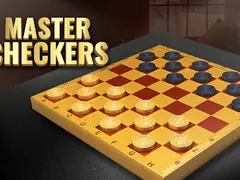
| Master Checkers | Board | Play against the computer or a friend | A classic board game |
1. Solitaire 13in1 Collection: best for long, calm sessions
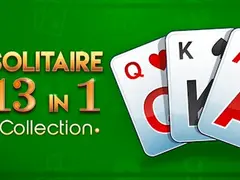
Solitaire 13in1 Collection bundles 13 kinds of solitaire, from Klondike to Golf, according to its description. It also mentions a soothing interface and relaxing music, so turn the sound down if someone is sleeping nearby. Solitaire is played one card at a time with no clock, which makes it one of the easiest games to put down mid-deal. The screen is tall, so the whole table fits a phone held upright. If you're new to the different versions, our guide to solitaire types explains how they differ.
2. Flow Mania: best for short levels
Flow Mania asks you to connect matching colored dots with pipes and fill the board without any lines crossing. Its description says there are more than 150 levels that get harder as you go. Each level is a single board, so you can finish one in a short gap and stop there. Drawing a pipe is a single movement from dot to dot, which suits a thumb.
3. Unblock That: best for thinking puzzles
Unblock That is a sliding-block puzzle. You move blocks out of the way so your main piece can reach its goal, and its description says fewer moves earn more points. There are 60 puzzles that get trickier as they go. It's a good pick when you want something that keeps your brain awake without any reflex pressure. Every move is one block sliding in one direction, so one thumb is enough.
4. Lipuzz - Water Sort Puzzle: best for quiet focus
Lipuzz - Water Sort Puzzle has you pour colored liquids between containers until each one holds a single color. Its description warns you to plan ahead and avoid deadlocks, where no more moves are possible. Each pour is a tap on one container, then a tap on another. The levels get harder as you progress, and the game waits patiently while you think.
5. 2048 Legend: best for one-thumb swipes
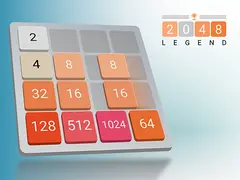
2048 Legend is a version of the number puzzle where you swipe to slide tiles and merge matching numbers, aiming for the 2048 tile. Its description calls the controls simple swipes, which is about as one-handed as a game gets. A game can run for a while, but you can stop between any two moves. If you keep getting stuck, read our 2048 strategy guide.
6. Blocks Puzzle: best for endless play
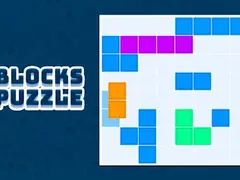
Blocks Puzzle has you place block shapes on a grid to complete and clear lines. Its description mentions drag-and-drop controls, so you move each piece with one thumb. There are no levels to finish. You keep placing pieces until the board fills, which makes it easy to play for two minutes or twenty.
7. Master Checkers: best classic board game
Master Checkers is digital checkers with forced captures and crowned pieces that move in both directions, according to its description. You can play against the computer, which waits for your move, or against a friend. It's a slower game than the puzzles above and keeps your mind busy. If the rules are hazy, our checkers rules guide covers them.
You can find more games like these in the puzzle category and the card and board category.
What to avoid when you only have one hand free
Racing games, shooters and most runner games need constant steering, so they're hard with one thumb and punish you for looking away. Games with a countdown clock have the same problem. Wide games can work, but you'll need to turn the phone and grip it with both hands, which defeats the purpose.
Frequently asked questions
Can I play these games without downloading an app?
Yes. Each game opens in your phone's web browser, so there's nothing to install and no account to create. You need an internet connection while you play. Gameziko is free because it shows ads, so you may see one between rounds.
Do browser games save my progress on a phone?
Some do and some don't. Many browser games store progress in your browser, so it can survive closing the tab but disappear if you clear your browsing data. None of the games above say how they save. Our guide to how browser game saves work explains what to expect.
Which games are easiest to play with one thumb?
Games that need one tap or one swipe per move are easiest. In this list, 2048 Legend uses swipes, Lipuzz uses taps on containers, and Blocks Puzzle uses drag and drop. Solitaire and checkers also work well because nothing happens until you move. Avoid anything with a timer or constant steering.
Will these games keep me awake on a night feed?
Thinking puzzles help more than mindless tapping. Unblock That, Flow Mania and Master Checkers make you plan ahead, which keeps your mind working. Turn the sound off and lower the screen brightness so you don't disturb anyone. Since all of them wait between moves, you can stop the second you need to.