 By
The easiest way to play games on a Chromebook is in the Chrome browser: open a free game site, pick a game and press play, with nothing to install. If your Chromebook supports it, you can also get Android games from the Google Play Store. Linux is a third route, but it is meant for developers.
The three ways to game on a Chromebook
A Chromebook runs ChromeOS instead of Windows or macOS, so the way you get games is a little different. There are three routes, and the first one needs no technical knowledge at all.
| Route | Setup needed | Works on every Chromebook? | Good for |
|---|---|---|---|
| Browser games | None | Yes, if Chrome opens websites | Quick, casual games |
| Android apps from Google Play | A few settings | No, only some models | Phone-style games |
| Linux | Developer settings, 10+ minutes | No, only some models | Advanced users |
If you don't consider yourself technical, start with the first route and only move on if you want something it can't give you.
Route 1: Play browser games (no setup)
Browser games run inside a normal Chrome tab, so you don't install anything. Gameziko also doesn't ask you to create an account. This is also the route most likely to work on a school or work Chromebook, as long as the site isn't blocked.
- Connect to Wi-Fi and open Chrome.
- Go to a free game site such as Gameziko and open the games list.
- Pick a game and wait for it to load. The first load can take a few seconds.
- Click inside the game window so it responds to your keyboard and mouse.
- Look for a full-screen button if you want a bigger view.
Gameziko shows ads, which keep the games free, so expect a short ad now and then. If a game won't load or looks black, our guide to why browser games run well or badly on a Chromebook covers the usual causes.
Route 2: Get Android games from the Google Play Store
Some Chromebooks can install Android apps, including games, from the Google Play Store. Google's help page on using Android apps on a Chromebook says the Play Store is available for only some Chromebooks, and that school or work Chromebooks may not allow it.
- Make sure ChromeOS is up to date. Google's page on updating your Chromebook shows how: open Settings, select About ChromeOS and then Check for updates.
- Select the time at the bottom right, then Settings, then Apps.
- Look for the option to manage Google Play preferences. If you can't find it, your Chromebook doesn't work with Android apps.
- Follow the on-screen steps to agree to the terms and open the Play Store.
- Search for a game and install it. Installed apps appear in the Launcher at the bottom left.
Google also notes that apps on your phone don't copy over automatically, and that some apps don't work on some Chromebooks.
Route 3: Linux (skip this if you're new)
Google describes Linux on a Chromebook as a feature for developing software. It is off by default, it is only available on some devices, and setup can take 10 minutes or more. It opens a terminal where you type commands.
Some people use it to run desktop games, but that takes troubleshooting. For someone who isn't technical, the browser and the Play Store are a much better place to start.
Easy browser games to try first
These games come from Gameziko's catalog, and the notes below come from each game's description and instructions.
Master Chess plays with the mouse, according to its instructions. Its description lists two modes: play against the computer at three difficulty levels, or challenge a friend on the same device.
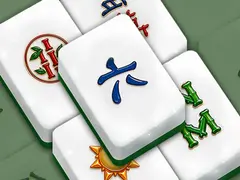
Mahjong Solitaire Crush Game is a calm tile-matching game where you clear the board by pairing identical tiles. Its instructions say you click buttons with the mouse, which suits a Chromebook trackpad.
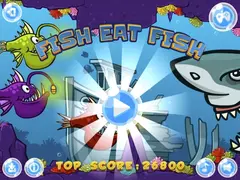
Fish Eat Fish has you grow a piranha by eating smaller fish and avoiding bigger ones. Its instructions list arrow keys, W A S D and mouse for up to three players, and say touch controls work on all browsers.
Tunnel Rush is a fast 3D tunnel game. Its instructions list the left and right arrow keys or A and D to move, and Space to pause or restart. Its description also mentions a two-player mode on the same screen.
Moms Diary: Cooking Games is a time-management cooking game where you tap to make recipes and serve customers, according to its instructions. It suits a touchscreen Chromebook.
For more quick picks, try the mini games page or the puzzle category. If your Chromebook is older or slow, our tips on games for Chromebooks and low-end PCs explain which game types run most smoothly.
A note on school Chromebooks
A school or work Chromebook is managed by an administrator, who decides which sites and apps are allowed. Google's help pages say you may not be able to add the Play Store or use Linux on such a device. If a game site is blocked there, use a personal device instead.
Frequently asked questions
Can you play games on a Chromebook without downloading anything?
Yes. Browser games run in a Chrome tab with nothing to install. Open a free game site, pick a game and wait for it to load. This works on any Chromebook that can open websites, which makes it the simplest way to start, especially if you aren't comfortable changing settings.
Why can't I find the Google Play Store on my Chromebook?
Either your Chromebook doesn't support Android apps or an administrator has turned it off. Google says the Play Store is available on only some Chromebooks. Update ChromeOS first, then check Settings under Apps. If the Google Play option still isn't there, your model can't install Android apps.
Do I need Linux to play games on a Chromebook?
No. Linux is a developer feature, it is off by default and it requires typing commands in a terminal. Browser games and, on supported models, Android games from the Play Store cover most casual gaming. Leave Linux for later if you become curious about it.
Can I use a mouse or touchscreen for Chromebook games?
Yes, depending on the game. Many browser games use the mouse or trackpad, and some list touch controls in their instructions. Keyboard games usually use the arrow keys or W A S D. Check each game's instructions before you start so you know which controls it expects.