





What is Skyline R34 Drift 3D?
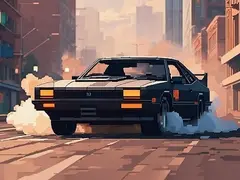
Skyline R34 Drift 3D is a free racing game with car and drift elements that you can play online in your web browser on Gameziko. It needs no download, no install and no account. Last but not least there's the iconic Nissan Skyline GT-R R34.
How to play Skyline R34 Drift 3D
- Press "Play now" on the game screen. Skyline R34 Drift 3D loads inside the player; some games take up to 20 seconds and may show a short ad first.
- Arrow-keys / WASD = Drive Spacebar = Handbrake G = Toggle Slow-motion L = Turn on Lights Q, E and Z = Turn on Indicators R = Record gameplay P = Play your Recorded gameplay
- Use the full-screen button at the bottom right of the player for a bigger view, and press Esc to leave full screen.
Game details
| Category | Racing |
|---|---|
| Tags | car, drift |
| Controls | Arrow keys, WASD keys, Space bar |
| Screen | Landscape (800 × 550) |
| Price | Free |
| Download or sign-up | Not needed |
| Distributed by | GameDistribution |
| Added to Gameziko | 30 September 2026 |
Description from the developer
Last but not least there's the iconic Nissan Skyline GT-R R34. A popular car in the car tuning scene and a good way the end the Drift 3D series. In this game you'll get the opportunity to tune, race and drift it just the way you want to. Pure driving freedom. As a bonus for this final Drift 3D game there's a new Drift Challenge mode. Have you figured out the right tuning settings and are ready to put it to the test? Go ahead and burn some rubber!
Skyline R34 Drift 3D: frequently asked questions
Is Skyline R34 Drift 3D free to play?
Yes. Skyline R34 Drift 3D is free to play on Gameziko, with no download and no account needed. Like most free web games, it is funded by ads, so it may show a short ad before or between rounds.
What are the controls in Skyline R34 Drift 3D?
The developer's instructions for Skyline R34 Drift 3D say: "Arrow-keys / WASD = Drive Spacebar = Handbrake G = Toggle Slow-motion L = Turn on Lights Q, E and Z = Turn on Indicators R = Record gameplay P = Play your Recorded gameplay"
Can I play Skyline R34 Drift 3D on a phone or tablet?
Skyline R34 Drift 3D is controlled with the keyboard (Arrow keys, WASD keys and Space bar), so it plays best on a computer. It opens in mobile browsers, but there may be no on-screen controls.
What games are similar to Skyline R34 Drift 3D?
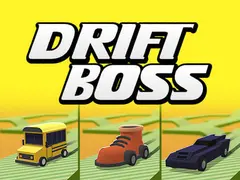
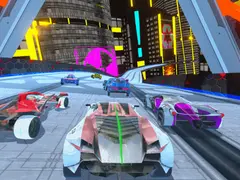
If you like Skyline R34 Drift 3D, try Drift Boss, Blacktop Police Chase and City Rider. They are racing games with similar themes, and you can find more in the Racing category on Gameziko.
Related guides
- 6 Best Free Racing Games to Play in Your Browser: Six free racing games you can play online with no download, from one-button Drift Boss to open-city 3D driving, with controls and who each suits.
Good to know
Skyline R34 Drift 3D is made by an independent developer and delivered by GameDistribution, so Gameziko cannot change the game or recover lost progress. Any progress the game saves is kept in your browser on this device. If the game does not start, wait up to 20 seconds, allow ads for gameziko.com and try again, or report the game.